
// HOW TO CANCEL
Follow the instructions below to cancel your TAW Player subscription. If you have any issues or want to give us feedback to help us improve, please contact us on [email protected]
1) Go to the PayPal website, login and click settings.
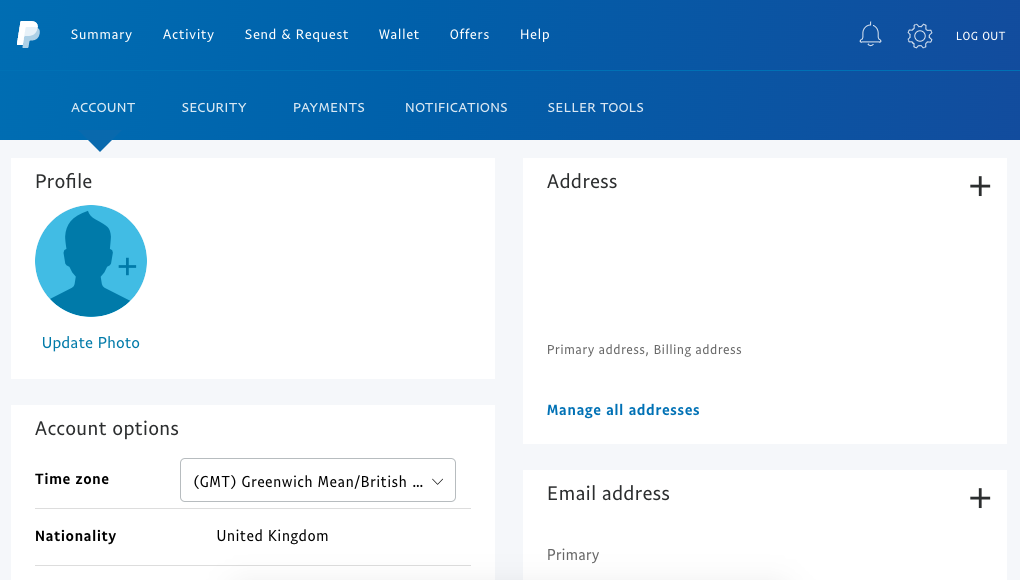
2) Click the payments tab and then next to manage your automatic payments click view.
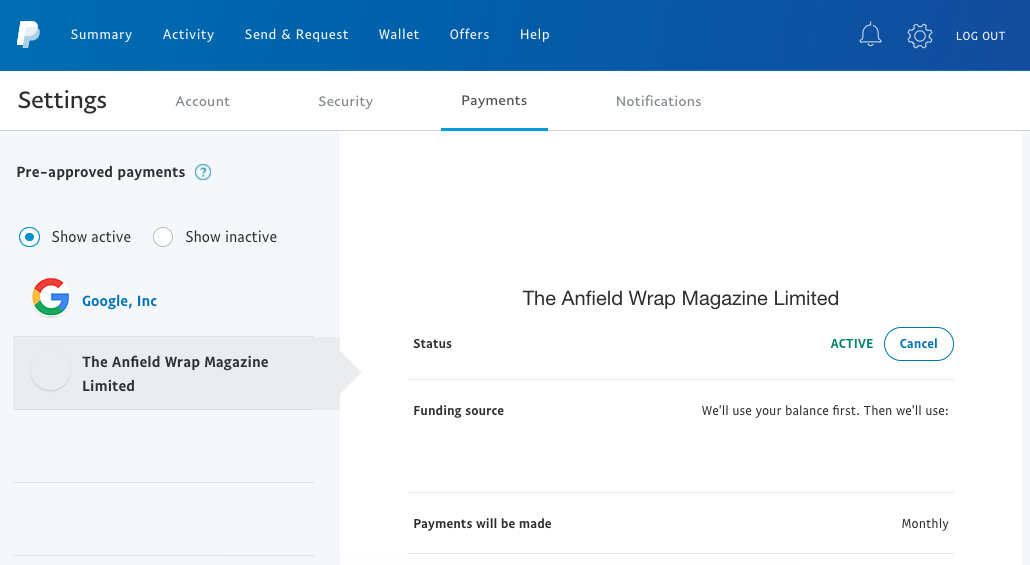
3) Click cancel and then confirm.
(If you are still encountering issues, please contact [email protected].)
1) Go to the WorldPay website and login using the details you were sent in your confirmation email (remember: you username and password usually come in separate emails).
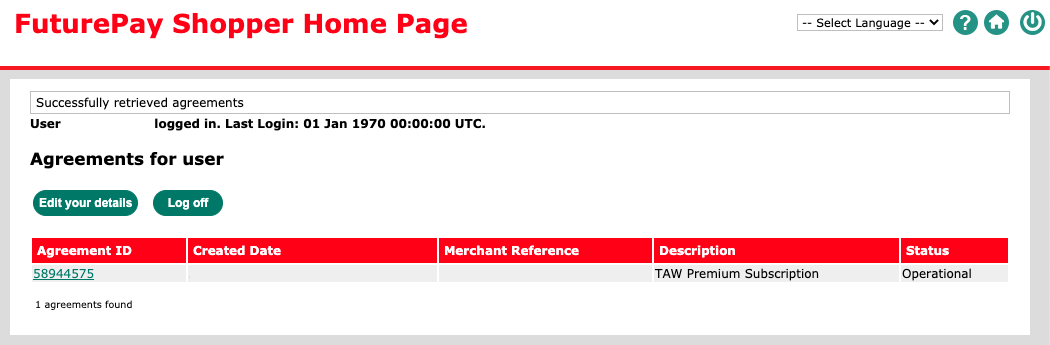
2) Click on your Agreement ID.
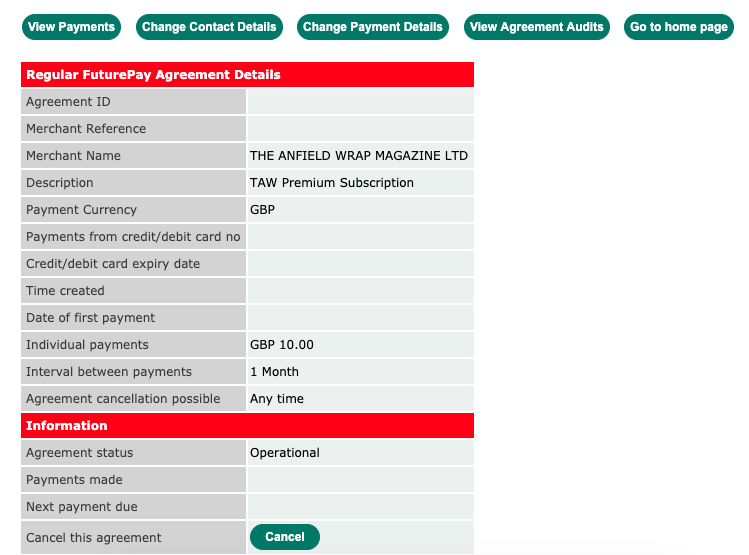
3) Click cancel and then confirm.
(If you are still encountering issues, please contact [email protected].)
// TAW SHOP
// TAW APP

// PARTNERS
 |

|

|

|

|

|

|

|
// HOW TO CANCEL
Follow the instructions below to cancel your TAW Player subscription. If you have any issues or want to give us feedback to help us improve, please contact us on [email protected]
1) Go to the PayPal website, login and click settings.
2) Click the payments tab and then next to manage your automatic payments click view.
3) Click cancel and then confirm.
(If you are still encountering issues, please contact [email protected].)
1) Go to the WorldPay website and login using the details you were sent in your confirmation email (remember: you username and password usually come in separate emails).
2) Click on your Agreement ID.
3) Click cancel and then confirm.
(If you are still encountering issues, please contact [email protected].)